
Find a webcam that Windows cannot detect: Manage connected cameras and available stream settings
Find a webcam that Windows cannot detect
Check the webcam cable or hardware switch, then review Windows detection and privacy settings. An application without permission can look like a missing device even when Windows sees the camera. Test with the Camera app and follow model-specific driver instructions only after simpler checks have been completed.
Locate the camera-specific controls
Windows 11 camera management is under Settings, Bluetooth and devices, Cameras. Microsoft explains that connected cameras have individual pages with supported image controls and enable or disable options. Some specialized, infrared or proprietary cameras do not appear here, so absence from this list does not always mean that every application is unable to use the hardware.
Check managed-mode limitations
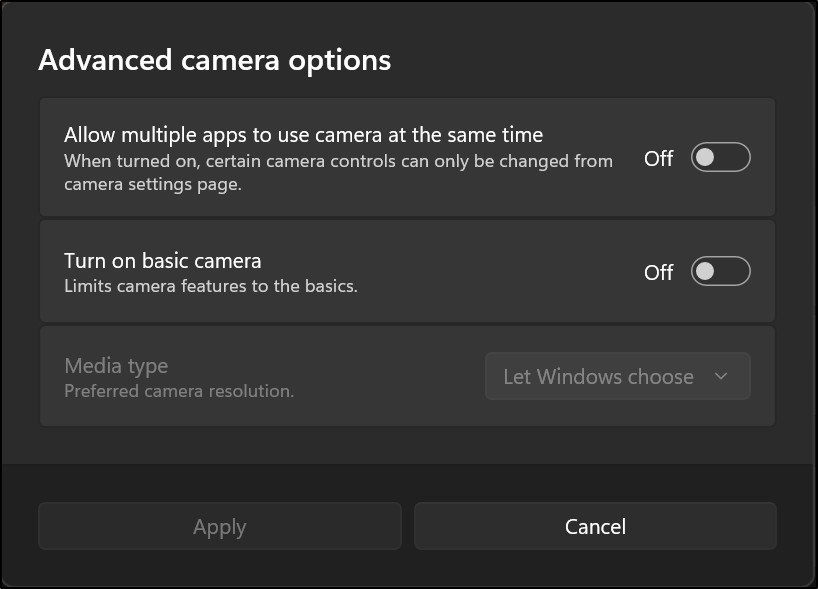
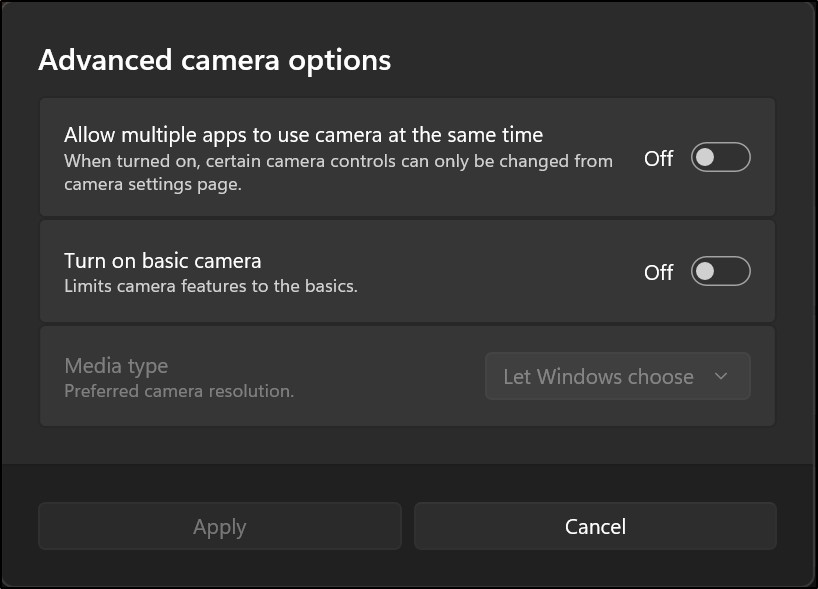
The guide describes multi-app and basic managed modes with resolution and frame-rate choices on supported systems. Available formats may be a subset of the camera's full capabilities. Basic mode is intended for troubleshooting and disables features such as hardware acceleration and Windows Studio Effects. Check the mode and supported settings rather than assuming every camera exposes the same resolution menu on every Windows installation.
Windows 11 camera management is under Settings, Bluetooth and devices, Cameras. Check the webcam cable or hardware switch, then review Windows detection and privacy settings.


Leave a Comment
Comments (0)