
Compare USB-C and Thunderbolt docking: Check Thunderbolt 4 dock host compatibility
Compare USB-C and Thunderbolt docking
A dock's USB-C connector does not identify all of its supported protocols. Compare the host requirement, display arrangement, accessory bandwidth and charging allowance. A Thunderbolt dock may operate differently on another USB-C host, so use the compatibility table before paying for capabilities the laptop cannot provide.
Read the full compatibility table
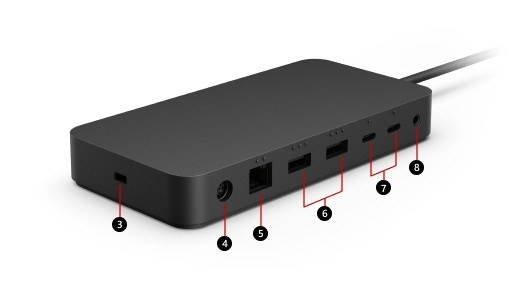
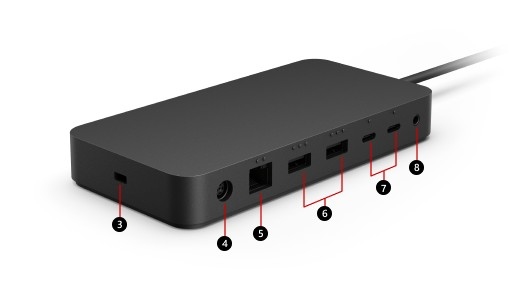
Surface Thunderbolt 4 Dock offers USB4 and Thunderbolt 4 USB-C connections, USB-A accessory ports, networking and audio. Microsoft explains that a Thunderbolt 4 host provides the intended capability, while other compatible USB-C computers may have reduced features. The plug shape is therefore only the beginning of a compatibility check.
Budget power and bandwidth together
The listed 165W supply can provide up to 96W to the host, with the remaining capacity supporting the dock and attached equipment. Check video support on the intended downstream port and verify the computer's display limits. A dock can physically accept several devices while its actual performance still depends on the host connection, cable and supported combination of screens.
Surface Thunderbolt 4 Dock offers USB4 and Thunderbolt 4 USB-C connections, USB-A accessory ports, networking and audio. A dock's USB-C connector does not identify all of its supported protocols.


Leave a Comment
Comments (0)