
Connect a monitor through USB-C: Connect a Surface USB-C Travel Hub
Connect a monitor through USB-C
A USB-C monitor connection needs documented video support from the host port, an appropriate cable or adapter and a compatible display input. Charging or transferring files through the port is useful evidence about those functions, but does not establish every display feature.
Verify video support on the host
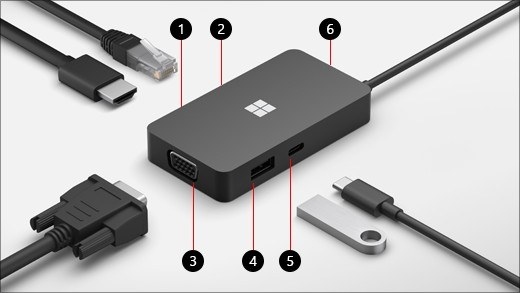
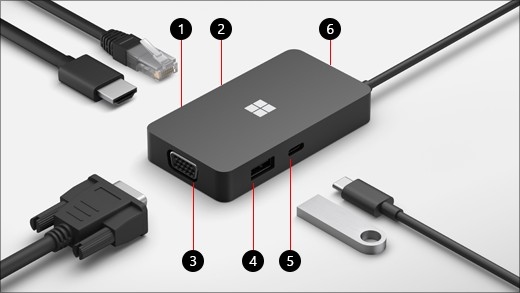
Surface USB-C Travel Hub expands a compatible USB-C connection with HDMI, VGA, Ethernet and USB accessory ports. Microsoft requires a host port with DisplayPort Alternate Mode for its video functions. A laptop with a USB-C socket that only transfers data will not gain native display output merely by attaching this hub.
Build the travel setup in order
Connect the hub to the computer and then attach the required peripherals, following the guide's supported port combinations. Check the display input and the hub's documented limits before expecting several video sockets to behave as independent outputs. A compact hub can reduce adapter clutter, but its actual operation remains tied to the host's USB-C features and the requirements of each connected accessory.
Surface USB-C Travel Hub expands a compatible USB-C connection with HDMI, VGA, Ethernet and USB accessory ports. A USB-C monitor connection needs documented video support from the host port, an appropriate cable or adapter and a compatible display input.


Leave a Comment
Comments (0)